


iHomefinder Training & Video Tutorials
Quick Links:
Use the buttons below to jump to a section.
Using your iHomefinder IDX – Next Steps
Here are our recommended steps to start using iHomefinder. If you have any questions or need help simply schedule a call with Char by going to http://ysnm.net
- Log into the iHomefinder Dashboard and BOOKMARK this link! You should have received your login credentials by email but if not you can use the password reset option on the login page or email support@yoursiteneedsme.com and we will send it to you.
- Download the Max for Real Estate App: Go to the App Store on your phone and download the “Max for Real Estate” app by iHomefinder. You can use the same credentials you use to to log into the iHomefinder Dashboard on your computer.
- Set up Text Messaging in iHomefinder: This service is so that your site can send instant Follow-up texts to your clients with recommended listings and is a proven way to increase lead conversion! To do this please log into your iHomefinder control panel with the info above and go to Communications > Texting. 4. Send Properties via your Website (NOT the MLS): We HIGHLY recommend moving forward that instead of sending new buyers links to properties in the MLS that you start adding them as a lead in your App or in the Control Panel and setting them up with a saved search, sending them some properties and adding a Marketing Automation! This will be very beneficial for you in several ways!
- It will allow them to search properties on their own and STOP them from using other sites like Zillow and Realtor.com. Your new IDX turns your site into a BETTER version of those sites because YOU are directly connected to the MLS and get fresh listings faster then they do, while they have to go through third parties.
- It will increase your traffic and improve your SEO! The more people using your site the better it will rank!
- It will give them a place to go back to down the road if they want to sell
- It will promote YOU instead of the MLS site or your company site
- Review the Marketing Automations: Check out the Communications tab in the Control Panel and view the Marketing Automations. You can customize them to fit your needs.There are many benefits to using your site instead of the MLS and the list goes on, above are just some of the highlights.
- Create Landing Pages for SEO: If SEO is something you are interested in then your next step would be to create Markets and embed them into your site! Start by researching Keywords and then create a market to match, then embed the market into a new page named for the keyword. For example if there is a high number of searches for ‘Houses for Sale 90210’ then you would first create the market, then add a new page on your site and name it ‘Houses for Sale 90210’ and embed the Market Shortcode for that search. WordPress Avada Video Tutorial: How to make Landing pages for SEO
- Review your iHomefinder Settings: We have already completed your iHomefinder IDX Setup, however it is important for you to go back through and check them because YOU are more familiar with your local MLS & can make the final adjustments needed to ensure a satisfied client experience on your website. We encourage you to take the time to view the videos above and follow the steps. Feel free to email, text or call if you have any questions. Remember, the more involved you are with your site, the better it becomes! IF you have already completed these things then KUDOS to you! You are ahead of the game!
Here is an example email template you can use to send to your clients. Feel free to copy this and adjust it to fit your needs. Don’t forget to replace all links with your website URL:
Dear [Client Name],
I have created you a Property Organizer account on https://YOURWEBSITEADDRESS.COM so I can share properties I think you may like with you AND so you can search the local MLS! Using my website is just like using Zillow or Realtor.com but BETTER! Many people don’t know that listings on Zillow & other big name sites don’t update the property status for properties instantly when there is a change – delays can oftentimes be as much 8 – 12 hours because they get their data via a 3rd party. My website is DIRECTLY connected to our local MLS and updates every 15 – 60 minutes. So when you search and view properties on our website you are getting the most up-to-date and accurate listing data for our local MLS.
What you can do on YOURWEBSITEADDRESS.COM:
- Search Homes that are updated every 15-60 minutes and include detailed property information
- Schedule a showing with me for any home you see in the MLS
- Add Notes on any property you have favorited
- Score the homes you Favorite so you know which ones you like the best
- Save & Manage your Searches and receive updates when a new property hits the market
- Save & Manage your Favorite properties and get updated automatically when there is a price change
- See Market Trends for our area and sign up to get monthly market trend alerts<
- Get new listing recommendations emailed to you based on your searches and favorited properties of new properties you may have missed!
- Accessible on Desktop, Tablet & Mobile!
- And much more!
To log into your Property Organizer just go to https://YOURWEBSITEADDRESS.COM/real-estate/my-property-organizer/ and log in with your email address.
Sincerely,
Insert your Email Signature
iHomefinder & MAX for Real Estate App Training Videos

Creating a Saved Search, Setting up Smart Campaigns & Texting | iHomefinder IDX Tutorial

Creating a Saved Search, Setting up Smart Campaigns & Texting | iHomefinder IDX Tutorial
Creating and Managing Markets in the iHomeFinder IDX Control Panel | Real Estate Agent Tutorial
Adding and Editing Leads in iHomefinder Max Pro | IDX Tutorial for Real Estate Agents
Homefinder Dashboard Max System Guide | iHomefinder IDX Tutorial
iHomefinder IDX Tutorial: Max Mobile App Training
Why I like iHomefinder better than IDXBroker
Our BEST Real Estate & SEO Tips

My BEST Tips on How to Create a Better Real Estate Website
So, you want to create a real estate website or you already have a real estate website but it's not performing. Or, maybe it is, but you just KNOW it could be better. We understand. We've been at it since 2005, and we are constantly looking for ways to make our sites better and improve our SEO, so we'll rank higher in Google. Creating a better real estate website isn't an exact science and gets more complicated as technology advances, but there are important pieces to it that we have learned in our 20+ years of designing them for REALTORS. [...]
 How to Optimize Your Blog for SEO: My BEST Tips to Writing Blog Posts that Rank on Google Gallery
How to Optimize Your Blog for SEO: My BEST Tips to Writing Blog Posts that Rank on Google
Real Estate Tips, Blog, Real Estate Websites, Search Engine Optimization, SEO, SEO for Blogs, Social Media, Tips, Tips for Realtors
How to Optimize Your Blog for SEO: My BEST Tips to Writing Blog Posts that Rank on Google
When it comes to writing a blog for SEO, one of the main goals is to get your post to rank on Google's organic search results so you can beat out your competitors. Being #1 can bring in a lot of traffic and help you grow your business. In this blog post, we will discuss my SEO Strategy and all of the things I recommend to make your blog SEO friendly and optimize your blog for the search engines. By following these tips, you will be writing posts that not only look great and provide value for your readers but [...]
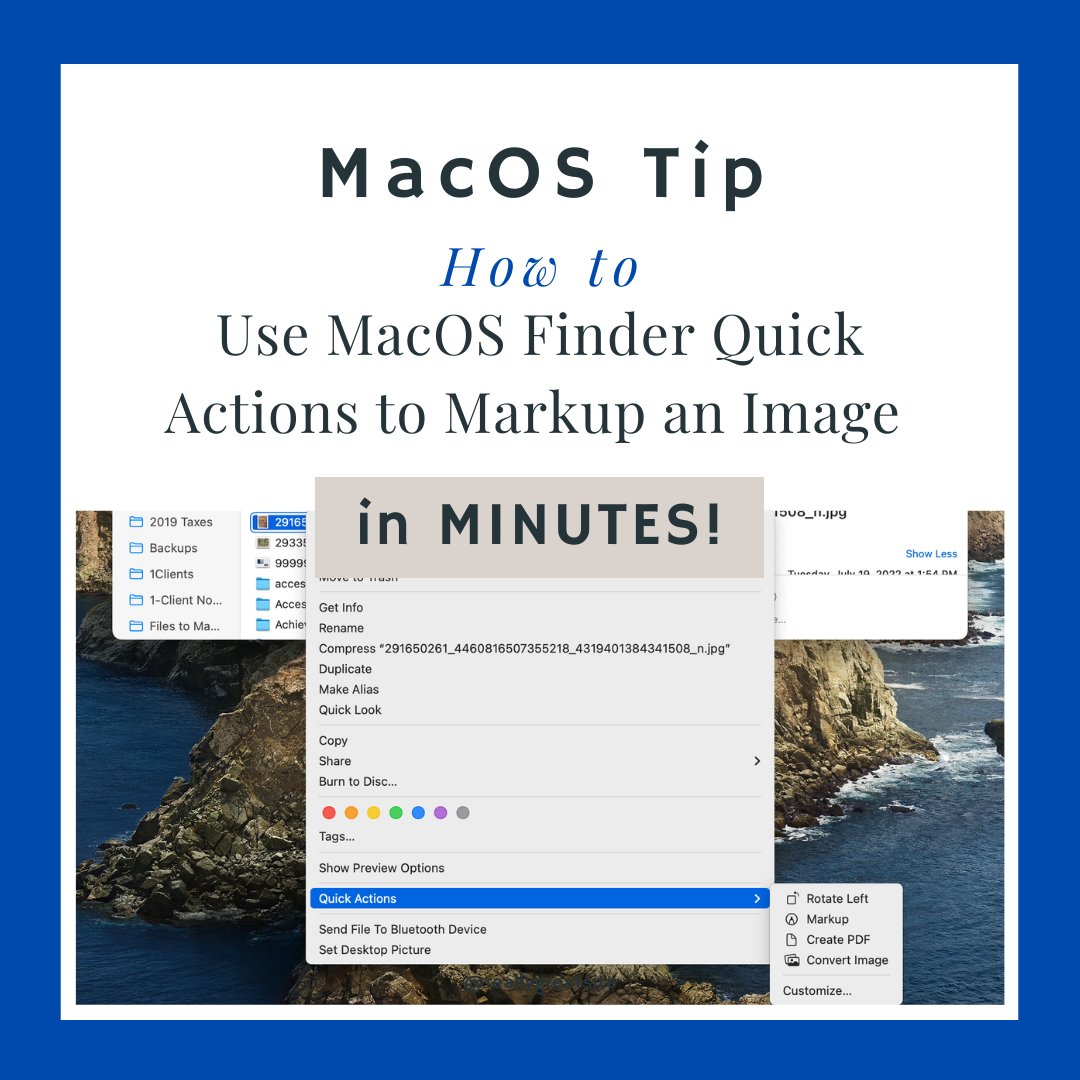
How to Use MacOS Finder Quick Actions to Markup an Image in Minutes with VIDEO & Screenshots
I was reading on Apple News today and came across a cool article I just HAD to share! I find these cool tricks & tips just addicting and love learning about new ones but I don't often have the time to explore them all. So when I read something cool like this I instantly want to share it with all of my friends and clients that have MAC's! This MacOS trick in particular caught my eye because it solves a problem many of my clients have when they want to send me a screenshot and explain some problem or error [...]

How to Make a Google Business Page for your Company in 7 Easy Steps
If you have been wondering how to make a Google Business page, you aren't alone. Searches for how to set up your Google Business are up 900% as of RIGHT NOW! In today's digital era, establishing a strong online presence is crucial for the success of any business. And if there is one thing that is certain, it is that Google is the searchers powerhouse. With billions of daily searches on Google, having your business listed on this platform can make a significant difference in attracting new customers and enhancing your online credibility making it worth taking the time to [...]
 Unleashing the Power of Viral Marketing Campaigns: 7 Tips to Make Your Blog Posts Go Viral plus Strategies, Tools, and Examples Gallery
Unleashing the Power of Viral Marketing Campaigns: 7 Tips to Make Your Blog Posts Go Viral plus Strategies, Tools, and Examples
Real Estate Tips, 2023, Blog, Real Estate Websites, Search Engine Optimization, SEO, SEO for Blogs, Social Media, Tips, Tips for Realtors, Viral Marketing Campaigns
Unleashing the Power of Viral Marketing Campaigns: 7 Tips to Make Your Blog Posts Go Viral plus Strategies, Tools, and Examples
In the digital age, where information spreads like wildfire, viral marketing campaigns have emerged as a powerful tool for brands to amplify their message and engage with a vast audience. Leveraging the power of social media, content, and videos, viral marketing has the potential to skyrocket brand awareness and drive substantial growth. In this blog post, we will delve into the realms of viral social media marketing, viral content marketing, and viral video marketing. We will explore essential tools and provide real-life examples of successful viral marketing campaigns that have left a lasting impact on audiences. 1. Viral Social Media [...]
 2024: My 3 BEST Real Estate Website SEO & Lead Generation Tips Gallery
2024: My 3 BEST Real Estate Website SEO & Lead Generation Tips
Real Estate Tips, IDX Broker Tips, Lead Generation Tips, Real Estate Website SEO, Real Estate Websites, Search Engine Optimization, SEO, SEO for Blogs, Tips for Realtors, Videos
2024: My 3 BEST Real Estate Website SEO & Lead Generation Tips
Real Estate SEO is hard. These 3 tips will help you optimize your website for Google and show you how to increase your leads you get from your real estate website.
 6 FREE Real Estate Email Marketing Templates for Home Buyers & Sellers Gallery
6 FREE Real Estate Email Marketing Templates for Home Buyers & Sellers
Real Estate Tips, 2024, Blog, Contact Management & CRM's, Lead Generation Tips, Real Estate Websites, SEO, Tips for Realtors, Viral Marketing Campaigns
6 FREE Real Estate Email Marketing Templates for Home Buyers & Sellers
New listing alerts have one of the highest opening rates. Our 5 FREE real estate email marketing templates are made for buyers and sellers to help you get more business.

23 Real Estate Chat Bots; using AI for Real Estate Leads on your Website
Discover how real estate chat bots like Drift, Bold360, and more can transform your personal website, driving leads and conversions effectively. Explore the top AI chatbots tailored for real estate agents, featuring pricing, features, integrations, and lead generation capabilities.
 How to Add a Business to Apple Maps (For FREE!): Step-by-Step Guide Gallery
How to Add a Business to Apple Maps (For FREE!): Step-by-Step Guide
Real Estate Tips, Apple Maps, Blog, MacOS Tips & Tricks, Real Estate Website SEO, Real Estate Websites, Search Engine Optimization, SEO, Social Media, Tips, Tips for Realtors
How to Add a Business to Apple Maps (For FREE!): Step-by-Step Guide
Learn how to add a business to Apple Maps w/ our step-by-step guide. Increase your visibility and attract more customers by listing your business on Apple Maps.
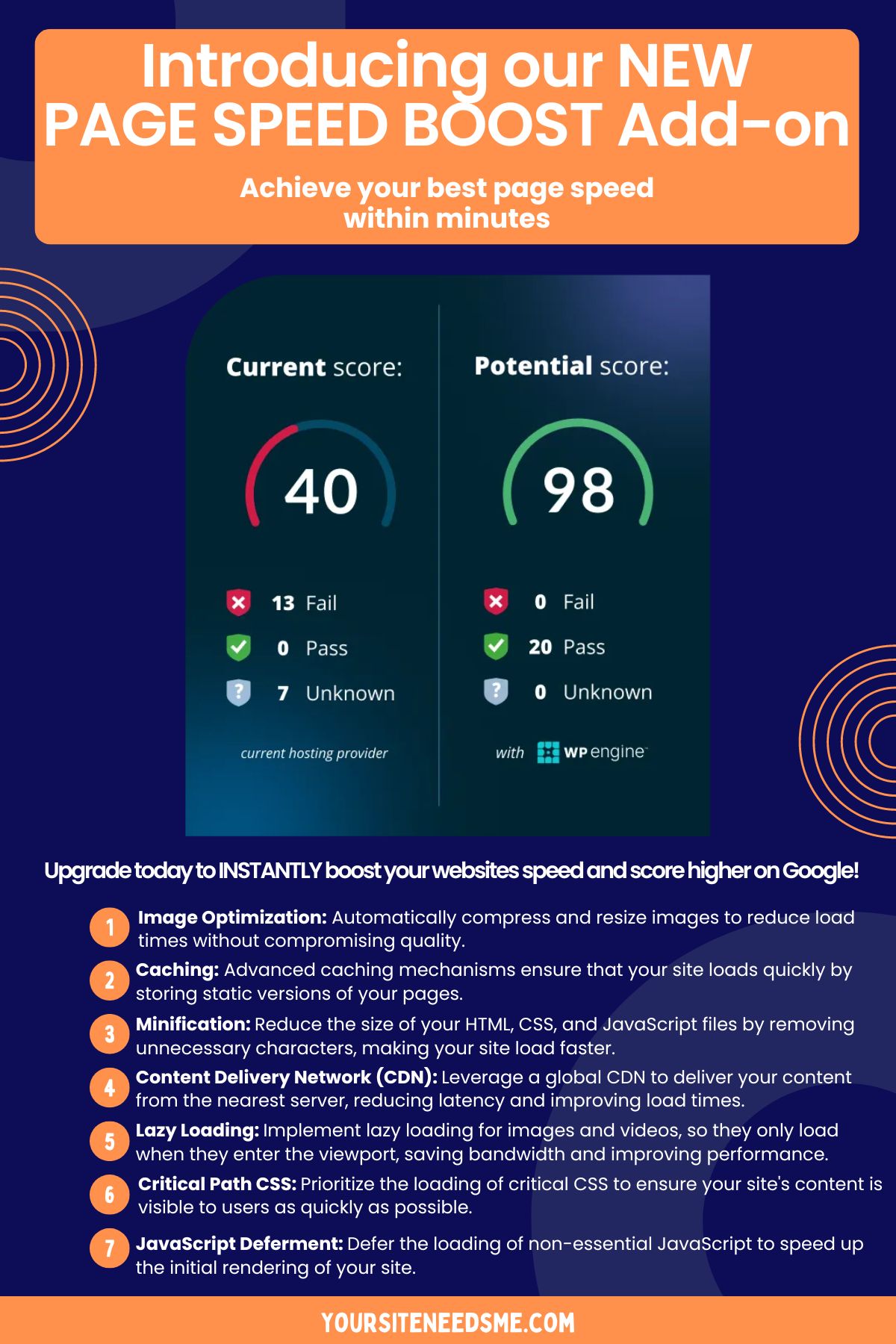 Speed up your website with our Page Speed Boost Add-on! Gallery
Speed up your website with our Page Speed Boost Add-on!
Real Estate Tips, 2024, Managed Wordpress Hosting, Real Estate Website SEO, Real Estate Websites, Search Engine Optimization, SEO, Website Page Speed, Website Performance, Wordpress
Speed up your website with our Page Speed Boost Add-on!
Speed up your website with our Page Speed Boost Add-on

4 Best WordPress Security Tips: How to Safeguard Your Site from Hackers
Learn the BEST WordPress security tips to protect your website from hackers. Discover how to secure your WordPress site with strong passwords, updates, and security measures.
 10 Easy SEO Optimization Tips for WordPress Blogs + Step-by-Step Video Tutorial Gallery
10 Easy SEO Optimization Tips for WordPress Blogs + Step-by-Step Video Tutorial
Real Estate Tips, 2024, Blog, Coupons, Real Estate Website SEO, Search Engine Optimization, SEO, SEO for Blogs, SEO Optimization Tips, Tips, Video Tips, Videos, Wordpress, WordPress Tutorials
10 Easy SEO Optimization Tips for WordPress Blogs + Step-by-Step Video Tutorial
By following these SEO Optimization tips, you can optimize your blog posts for SEO and drive more traffic to your website
 VIDEO TUTORIAL: Chat GPT Content Writing: Create Community Content for SEO Gallery
VIDEO TUTORIAL: Chat GPT Content Writing: Create Community Content for SEO
Real Estate Tips, 2024, Blog, Chat GPT & AI, Community Content, Content Writing, Real Estate Website SEO, Real Estate Websites, Search Engine Optimization, SEO, SEO Optimization Tips, Videos
VIDEO TUTORIAL: Chat GPT Content Writing: Create Community Content for SEO
Discover how to use Chat GPT for content writing to craft engaging community-focused articles that boost your SEO rankings. In this video, we’ll show you step-by-step how to create detailed, keyword-rich content tailored to local communities, perfect for blogs, real estate websites, or tourism guides.
 Blogging for SEO Part 1: How to Use ChatGPT AI for Content Creation (Step-by-Step Guide & Video Tutorial) Gallery
Blogging for SEO Part 1: How to Use ChatGPT AI for Content Creation (Step-by-Step Guide & Video Tutorial)
Real Estate Tips, AI, AI Writing Tools, Artificial intelligence (AI), Chat GPT & AI, Content Creation, Content Writing, Real Estate Website SEO, SEO for Blogs, Videos
Blogging for SEO Part 1: How to Use ChatGPT AI for Content Creation (Step-by-Step Guide & Video Tutorial)
Want to create SEO-friendly blog posts that rank higher on search engines? AI can be a powerful tool for content creation so you can create a blog post for your website so it will rank without having any experience or knowledge of SEO. In fact it isn't just a great time-saver - its a great money saver too. NOTE: You can use these methods on virtually any AI tool but in this instance we used Chat GPT's paid for version. In this guide, we’ll break down how to use AI on ChatGPT to write content using SEO for blog posts, [...]

Blogging for SEO Part 2: Editing & Publishing Your Blog Post (Step-by-Step Guide & Video Tutorial)
Learn how to edit, format, and publish an SEO-friendly blog post on WordPress. Follow best practices for headers, images, and All-in-One SEO optimization.

Why You Should Be Using Your Agent’s Website Instead of Zillow (and Why Agents Need Their Own IDX)
Here’s the truth: third-party sites like Zillow and Trulia are often outdated. If you want the freshest, most accurate listings pulled directly from the MLS, you should be searching on your agent’s website.
 GEO vs SEO: How Real Estate Agents Can Win the AI Search Game Gallery
GEO vs SEO: How Real Estate Agents Can Win the AI Search Game
Real Estate Tips, AI, AI & Real Estate, Artificial intelligence (AI), Chat GPT & AI, Content Creation, Content Strategy, Content Writing, Real Estate Website SEO, Search Engine Optimization, SEO Optimization Tips
GEO vs SEO: How Real Estate Agents Can Win the AI Search Game
Discover how real estate agents can boost visibility in AI tools like ChatGPT and Gemini using Generative Engine Optimization (GEO) alongside traditional SEO. Learn GEO blogging strategies that help AI recommend your site.
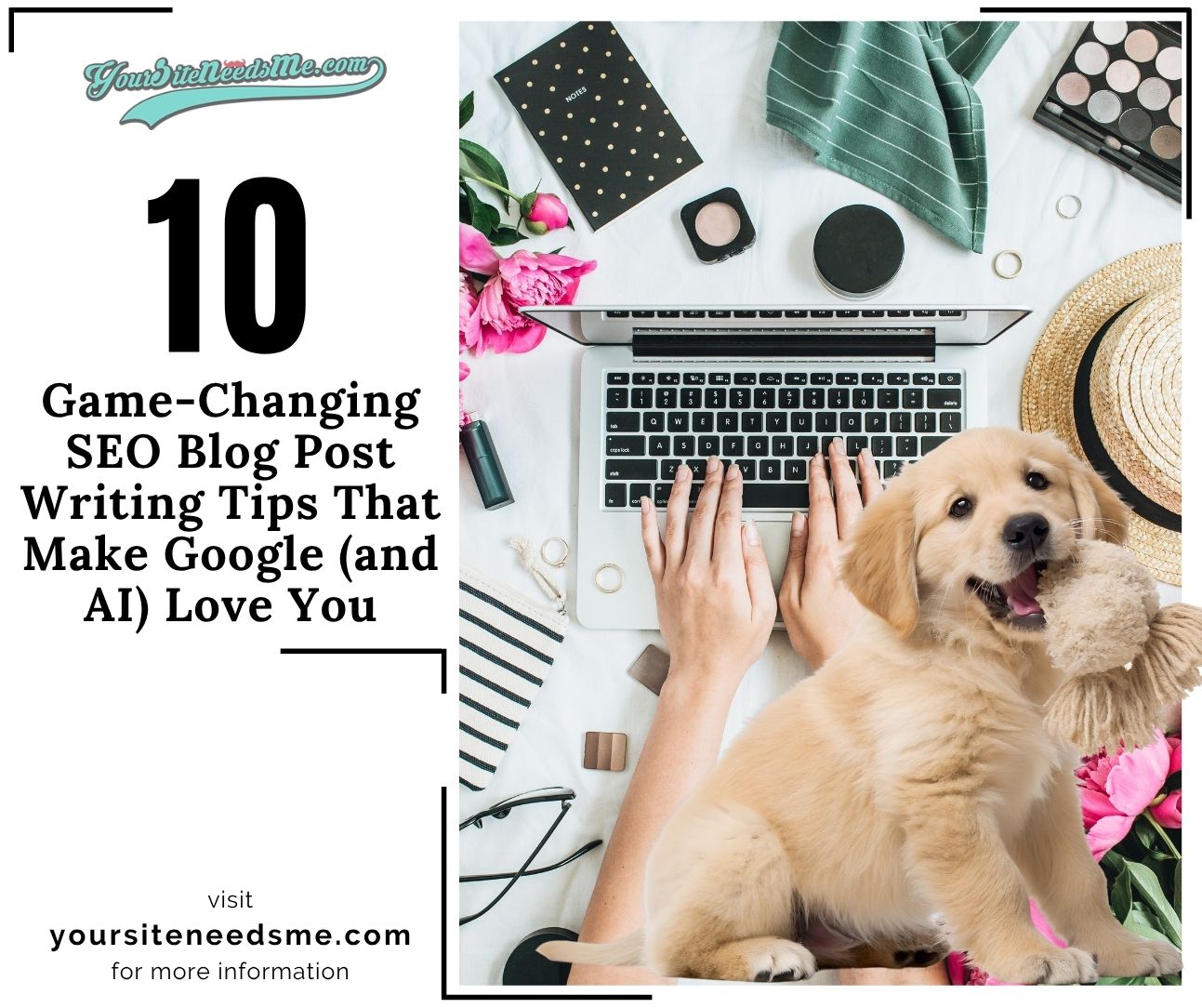 10 Game-Changing SEO Blog Post Writing Tips That Make Google (and AI) Love You Gallery
10 Game-Changing SEO Blog Post Writing Tips That Make Google (and AI) Love You
Real Estate Tips, AI, Artificial intelligence (AI), Chat GPT & AI, Content Creation, Content Strategy, Content Writing, Real Estate Website SEO, Real Estate Websites, Search Engine Optimization, SEO, SEO for Blogs, SEO Optimization Tips
10 Game-Changing SEO Blog Post Writing Tips That Make Google (and AI) Love You
Master SEO blog post writing with 10 fast, proven tips that help your content rank higher, engage readers, and attract traffic from Google and AI searches.
 How to Make Landing Pages for SEO Using Our Easy Premade Page Templates (Video Tutorial) Gallery
How to Make Landing Pages for SEO Using Our Easy Premade Page Templates (Video Tutorial)
Real Estate Tips, IDX, Real Estate Website SEO, Real Estate Websites, Search Engine Optimization, SEO Optimization Tips, Video Tips, Videos
How to Make Landing Pages for SEO Using Our Easy Premade Page Templates (Video Tutorial)
Learn how to create SEO-optimized real estate landing pages in minutes using our easy premade templates built into our $499 Avada WordPress website with IDX. Watch the step-by-step video tutorial and start boosting your rankings fast.
 Master Your Leads: New iHomefinder IDX Training Video Series for Real Estate Agents Gallery
Master Your Leads: New iHomefinder IDX Training Video Series for Real Estate Agents
Real Estate Tips, Contact Management & CRM's, IDX, iHomefinder, Lead Generation Tips, Real Estate Website SEO, Real Estate Websites, Video Tutorials
Master Your Leads: New iHomefinder IDX Training Video Series for Real Estate Agents
Master your real estate leads with our new iHomefinder IDX Training Video Series! Learn to manage leads, automate follow-ups, send texts & emails, and boost conversions with step-by-step tutorials.

⚠️ Your Termageddon Policy May NOT Be Protecting You: How to Avoid CIPA Demand Letters
Think your Termageddon policies are protecting your website? They may not be. Learn why keeping your policies updated is essential, how to avoid CIPA demand letters, and the simple steps you should take to keep your Privacy Policy and Cookie Consent settings current.