

 10 Easy SEO Optimization Tips for WordPress Blogs + Step-by-Step Video Tutorial
 WP Engine Hosting + Cloudflare: The Best Website Security When you Host with YourSiteNeedsMe
4 Best WordPress Security Tips: How to Safeguard Your Site from Hackers

October 14, 2024 · 3
Table of Contents
WordPress security is no joke now-a-days. I typically see 1-3 hacked websites a month and sometimes more if you include other accounts like emails or phones. And WordPress is like a buffet for hackers with the number of plugins and themes that are abandoned or that have security breaches that are able to be exploited. And don’t even get me started about using insecure passwords! Securing your website is a critical task that requires ongoing effort to ensure the safety of your data and user experience. Hackers are constantly evolving their tactics, and WordPress, being a popular platform, is often a target. By implementing the following essential security steps, you can significantly reduce the risk of your WordPress site being compromised.
1. Remove Unsafe or Unused Plugins
WordPress plugins are a powerful tool for enhancing your site, but they can also pose a significant security risk. If a plugin has been removed from the WordPress.org directory or is no longer maintained by its developers, it’s important to delete it immediately. Even inactive plugins can serve as potential entry points for hackers. Conduct regular audits of your plugins to ensure they are safe and up to date.
2. Use Secure Passwords and Update Admin Accounts
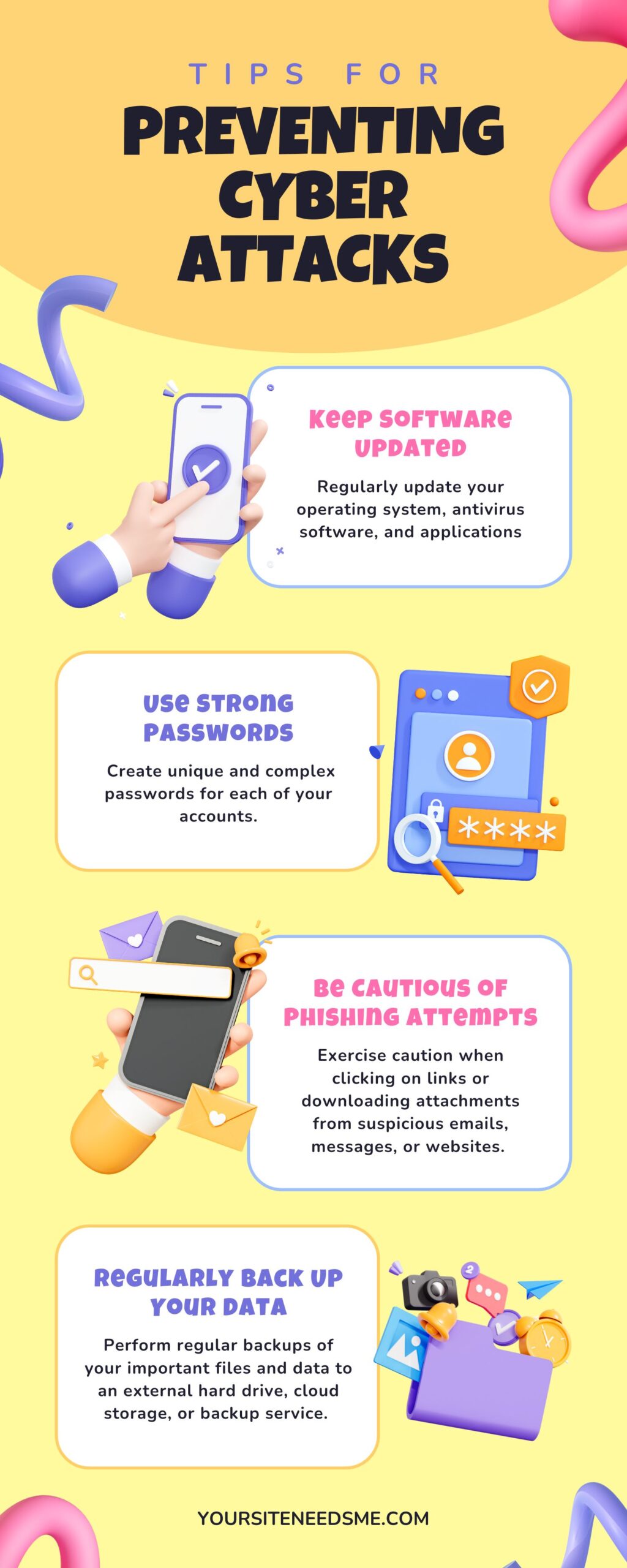
A strong password is your first line of defense. Make sure all accounts tied to your WordPress admin, FTP/SFTP, and email use strong, unique passwords. Use 2FA whenever possible! Regularly update passwords and encourage all users to do the same. Additionally, consider updating your **wp-admin** user accounts to make sure no unauthorized accounts have access.
3. Keep WordPress, Themes, and Plugins Updated
Regular updates are crucial for maintaining **WordPress security**. Hackers often exploit known vulnerabilities in outdated software. Ensure that your WordPress core, themes, and plugins are updated regularly—preferably on a monthly basis. This will help protect against known exploits.
4. Monitor Blocklists and Google Search Results
To ensure your website hasn’t been compromised or blacklisted, regularly check popular blocklists like:
- SiteCheck by Sucuri
- VirusTotal URL Scanner
- Google’s Safe Browsing Site Status
- Additionally, check your site’s Google search results by typing “site:yourdomain.com” into the search bar to ensure it is spam-free and indexed properly.
Click to open Full Size InfoGraphic
Essential WordPress Security Steps to Follow
Implement the following to bolster your WordPress security:
- Require Strong Admin Passwords: Enforce strong passwords for all user accounts with admin access.
- Enable Two-Factor Authentication (2FA): Add an extra layer of protection by enabling 2FA for all users.
- Add Cloudflare Turnstile OR Google reCAPTCHA V3 to Forms: Prevent bots from spamming your forms by adding Google reCAPTCHA v3.
- Limit Login Attempts: Implement a plugin that limits login attempts to protect against brute force attacks.
- Install a FREE Security Plugin like Wordfence to implement a Firewall and provide your site with automatic protection
What to Do If You Suspect a Hack
If you think your WordPress website has been compromised, take immediate action:
- Scan with Wordfence: Use the Wordfence security plugin free version (link above) to scan your site for malware and suspicious activity.
- Check Admin Users: Look for any new or unfamiliar admin users who may have been added without your knowledge.
- Run Anti-Virus Software: Perform a virus scan on your computer to ensure it’s not the source of the compromise.
- Remove Old Backup Directories: Check your server for outdated or unused backup directories that could serve as points of vulnerability.
- Monitor Your Site: Regularly monitor your site for unexpected changes or suspicious behavior.
By following these essential **WordPress security** measures, you can protect your site from potential hackers and ensure its longevity. Remember, securing your WordPress site is not a one-time task; it requires consistent monitoring and updates to stay ahead of threats.
For more WordPress Security Tips check out this article: Why does my site say NOT SECURE – SSL Certificates and HTTPS
#WordpressSecurity
#WebsiteSecurity
#WordPressProtection
#PreventHacking
#WordPressUpdates
#SecureWordPress
WP Engine Hosting + Cloudflare: The Best Website Security When you Host with YourSiteNeedsMe10 Easy SEO Optimization Tips for WordPress Blogs + Step-by-Step Video TutorialIDX = A Smarter, More Professional Way to Run Your Real Estate Business
Your website is more than a digital flyer—it’s your central hub for building relationships, giving your clients a better search experience, and generating new business. By using an IDX-integrated real estate website and sharing it effectively, you put yourself in a much stronger position to succeed long-term.
Interested in a new WordPress website? Find out why YourSiteNeedsMe has 100% 🌟 5 Star Reviews on Google! Give us a call or check out our $499 real estate website package today! Charra Hammett 734-323-1833 (Call or Text)