


 Master Your Leads: New iHomefinder IDX Training Video Series for Real Estate Agents
⚠️ Your Termageddon Policy May NOT Be Protecting You: How to Avoid CIPA Demand Letters

July 23, 2026 · 4

Table of Contents
Watch the Step-by-Step Termageddon Tutorial
Think your Termageddon policies are protecting your website? They may not be. Follow along to learn the simple steps you should take to keep your Privacy Policy and Cookie Consent settings current.
Don’t assume your Policies are protecting you
Many of our clients assume that once Termageddon is installed on their website, they’re fully protected from future privacy law changes.
Unfortunately, that’s not always true.
As privacy laws continue to evolve, businesses are responsible for reviewing and updating the information in their own Termageddon account whenever legal requirements change. Ignoring these updates can leave your privacy policies outdated—even if everything on your website appears to be working correctly.
Recently, Termageddon notified partners that an increasing number of businesses are receiving CIPA (California Invasion of Privacy Act) demand letters, making it more important than ever to ensure your policies are complete and up to date.
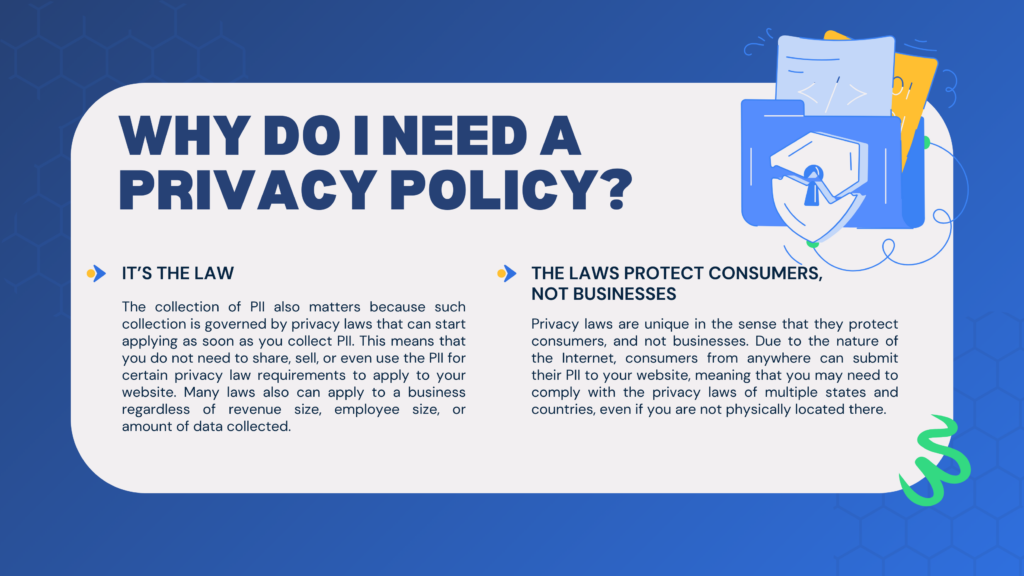
Why Keeping Your Termageddon Policies Updated Matters
When privacy laws change, Termageddon may send you an email asking you to answer new questions about your business.
Many clients overlook these emails because they assume we update everything for them.
While we install and configure Termageddon for our clients, we cannot legally answer the compliance questions on your behalf. Those answers are legal declarations about your business and must come directly from you.
If those questions remain unanswered, your policy may display an Incomplete status and may not include the latest legal protections.
What You’ll Learn in This Termageddon Tutorial
In this tutorial, I walk you through:
- Logging into your Termageddon dashboard
- Checking whether your policies are marked Complete
- Updating newly added compliance questions
- Reviewing your Privacy Policy settings
- Updating Cookie Consent Banner settings
- Running a website scan
- Verifying website services and integrations
- Completing your policy updates correctly
Whether you have a real estate website, are a small business owner, or any other type of website owner, these steps are worth reviewing.
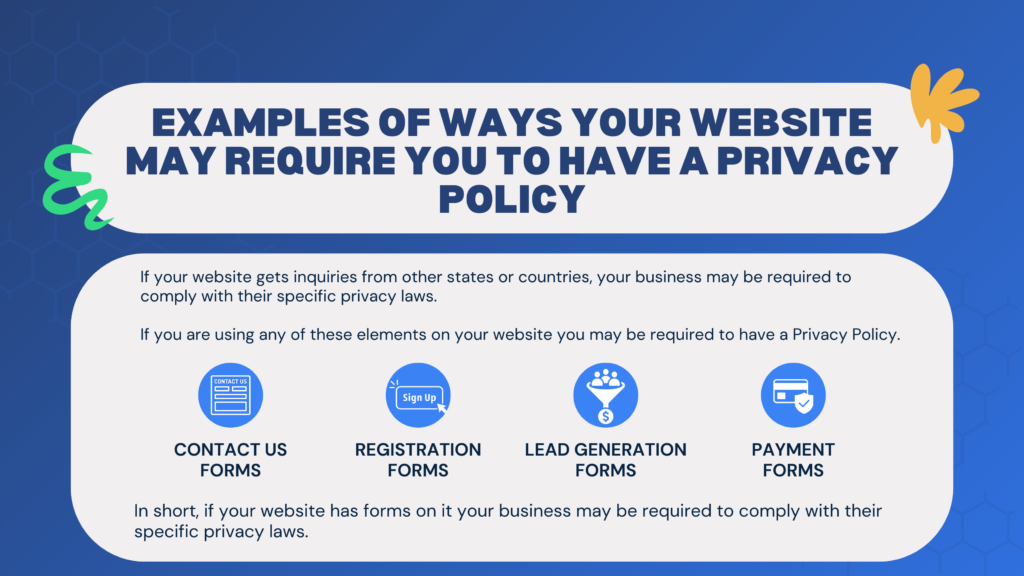
Don’t Ignore Termageddon Update Emails
One of the biggest mistakes website owners make is ignoring emails from Termageddon.
While promotional emails can usually wait, update notifications are different.
If Termageddon tells you that your policies require attention, take a few minutes to log into your account and complete the requested updates. These updates are designed to help keep your website aligned with changing privacy regulations.
I also recommend adding Termageddon’s email address to your contacts and marking their messages as important so you don’t miss future compliance updates.
Review Your Website Services and Cookie Consent Settings
One of the most valuable features inside Termageddon is the website scanner.
After scanning your website, review the detected services carefully. Occasionally, commonly used tools may need to be added manually.
Examples include:
- Google Analytics
- Google Analytics 4
- Google Maps
- YouTube embeds
- Google reCAPTCHA
- Cloudflare Turnstile
Keeping this list accurate helps ensure your Cookie Consent Banner is properly configured.
Verify Your Contact Information Before Completing Your Policies
While reviewing your policies, take a moment to verify:
- Business name
- Contact information
- Phone number
- Website URL
- Privacy Policy URL
Small details like an incorrectly formatted phone number or missing contact information can prevent your policy from being fully completed.
Need Help Updating Your Termageddon Policies?
If you’re one of our clients and have questions while updating your Termageddon account, we’re always happy to help.
Just remember that while we can guide you through the process, only you can answer the legal questions about your business.
Don’t Have Termageddon Yet?
If your website doesn’t already have Termageddon, it’s one of the most valuable investments you can make toward website compliance.
Unlike static privacy policy generators, Termageddon is designed to evolve with changing privacy laws. When laws change, you’ll receive notifications so you can review and update your policies as needed.
While no compliance solution can guarantee protection from every legal claim, having professionally generated, regularly updated website policies is an important part of reducing your risk.
👉 Learn more about Termageddon here
💰 Use coupon code CHARRA to save 10% on your first year.
Keep Your Website Protected with Updated Privacy Policies
Privacy laws aren’t standing still, and neither should your website.
If you’ve received an email from Termageddon asking you to update your account—or if it’s simply been a while since you’ve logged in—take a few minutes today to review your policies.
A quick update now could help you avoid much bigger problems later.
If you found this guide helpful, be sure to watch the full video tutorial above and subscribe to our YouTube channel for more website tips, WordPress tutorials, and recommended tools for protecting and growing your business.
Master Your Leads: New iHomefinder IDX Training Video Series for Real Estate AgentsIDX = A Smarter, More Professional Way to Run Your Real Estate Business
Your website is more than a digital flyer—it’s your central hub for building relationships, giving your clients a better search experience, and generating new business. By using an IDX-integrated real estate website and sharing it effectively, you put yourself in a much stronger position to succeed long-term.
Interested in a new WordPress website? Find out why YourSiteNeedsMe has 100% 🌟 5 Star Reviews on Google! Give us a call or check out our $499 real estate website package today! Charra Hammett 734-323-1833 (Call or Text)





November 7, 2026